ORRERION · Features
Built for parallel work
ORRERION is the workspace for coding agents: run them side by side, keep each on its own branch, and review every change before it ships.
Bodies in the system
Bring the agents you already use
ORRERION runs their own CLIs in real terminals, signed in with your own accounts.
-
01
Claude Code
Anthropic
$ claude -
02
Codex
OpenAI
$ codex -
03
OpenCode
Open source
$ opencode
01 · Run
Every agent, side by side
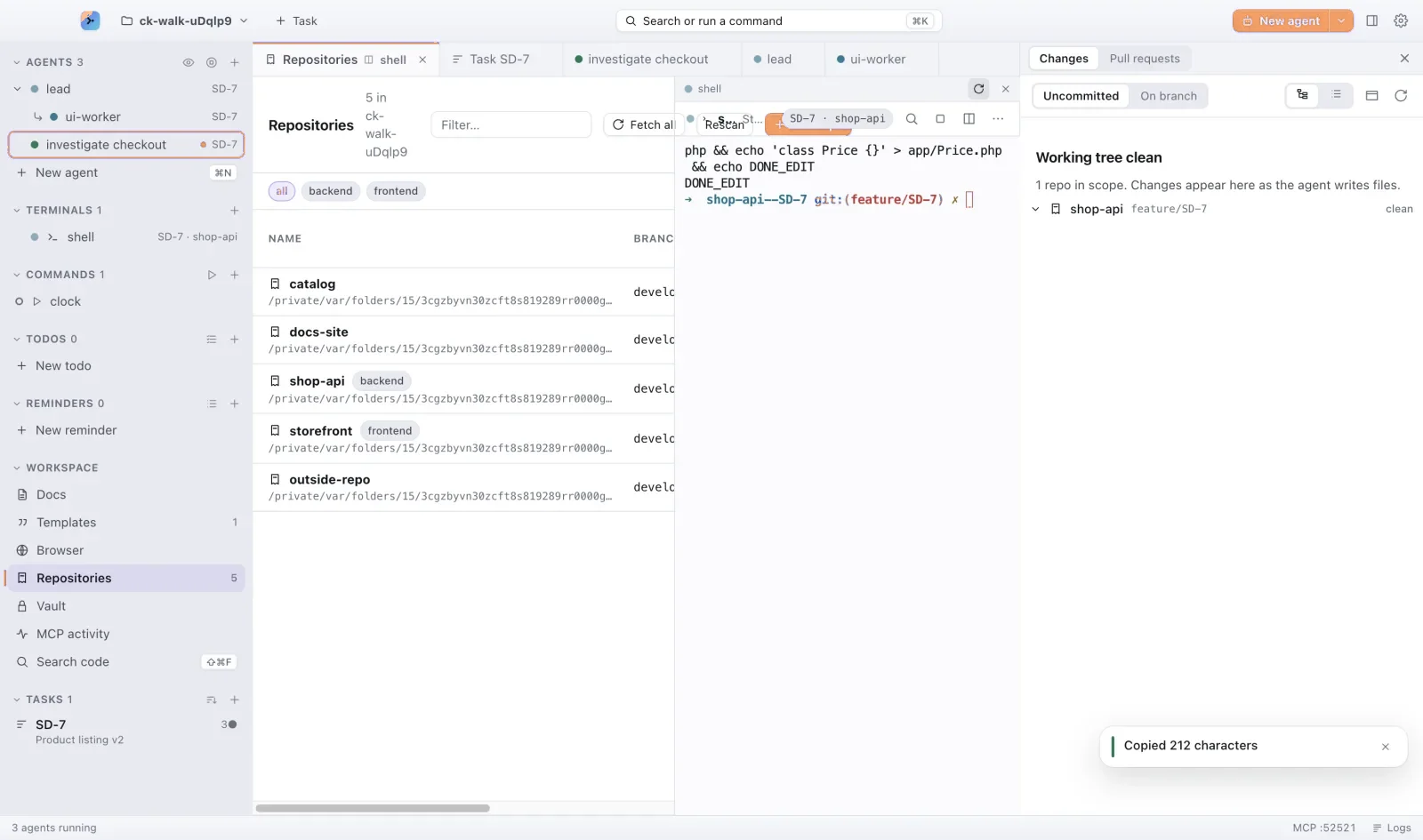
Start as many agents as the work needs. Each one gets a real terminal, its own lane and a status you can read from across the room.
- Claude Code, Codex and OpenCode in one window
- Split the view with ⌘D and compare two agents on the same task
- Paste a screenshot into an agent with ⌘V
- Group agents under your own separators, like Up next or Investigations
02 · Isolate
One task, one branch, every repo
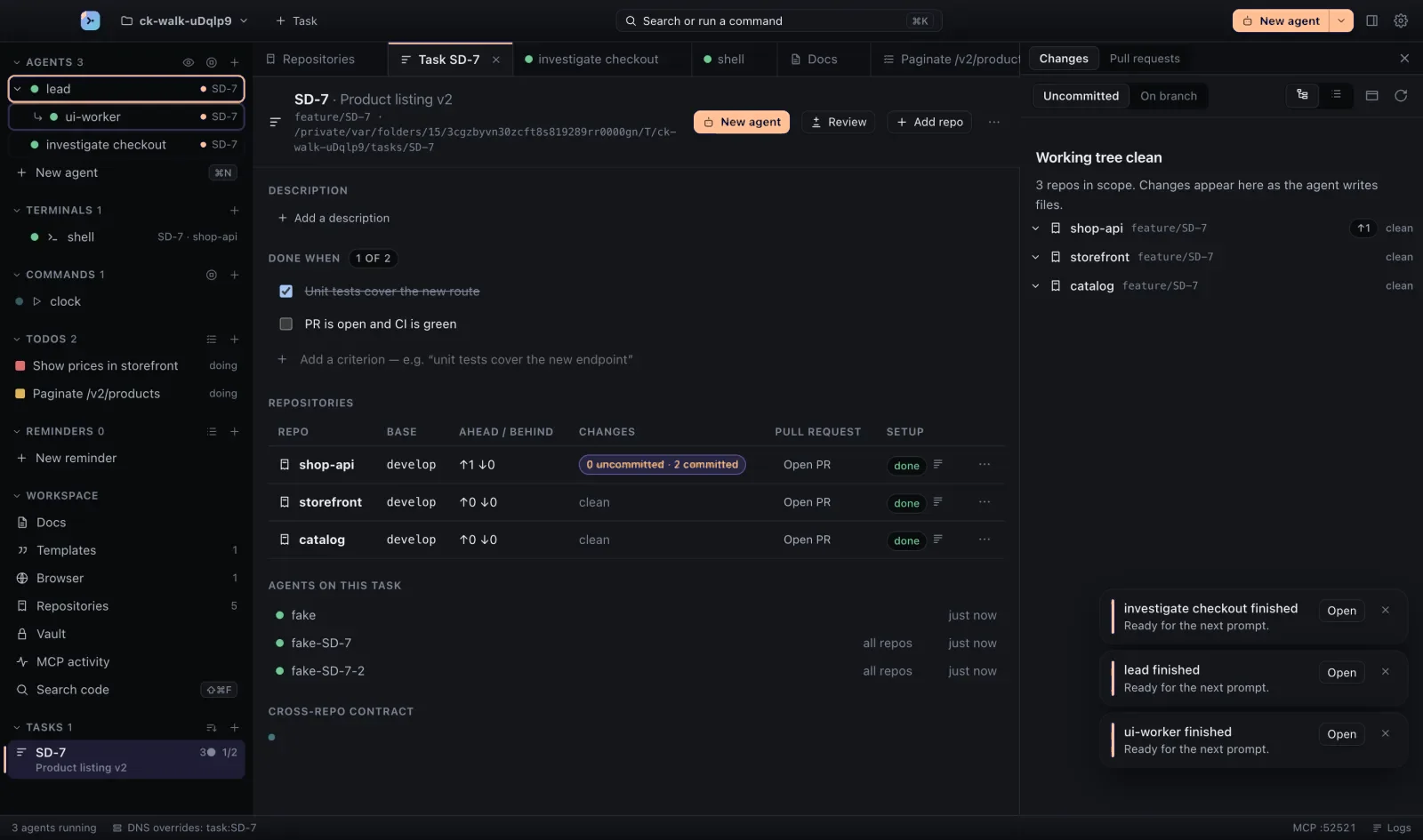
A task cuts the same branch in every repository it touches, each in its own git worktree. Agents never trip over your main checkout, or over each other.
- Worktrees are created and cleaned up for you
- Paste a Jira or Linear link to fill in the task’s id and title
- Main never moves until you ship
03 · Focus
Know who needs you
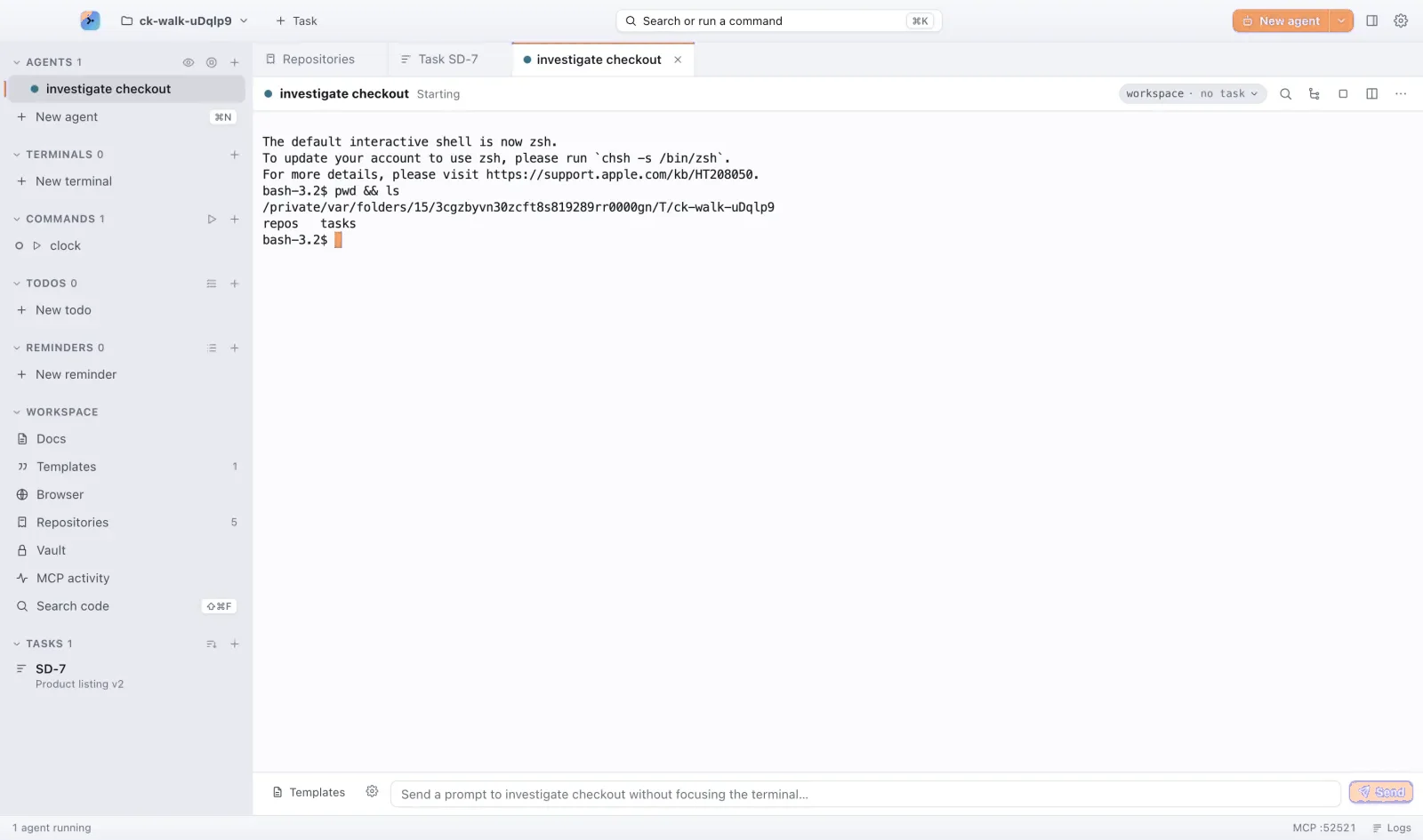
Green when all is well, blue while busy, amber the second an agent stops and waits, with what it is asking right there. Jump straight to it with ⇧⌘J and get back to your own work.
- A status for every agent, at a glance
- Needs input shows the question, not just a colour
- Click a notification to land on the agent that sent it
04 · Answer
Answer from the notch
Agents that wait for you line up under the MacBook notch, or at the top of any screen. Read the question, preview each choice, and send your answer without switching windows.
- Every waiting agent in one place, over any app
- Questions in several steps, with a preview of each choice
- A global shortcut opens it; swipe a card away to dismiss it
05 · Review
Review it like a pull request
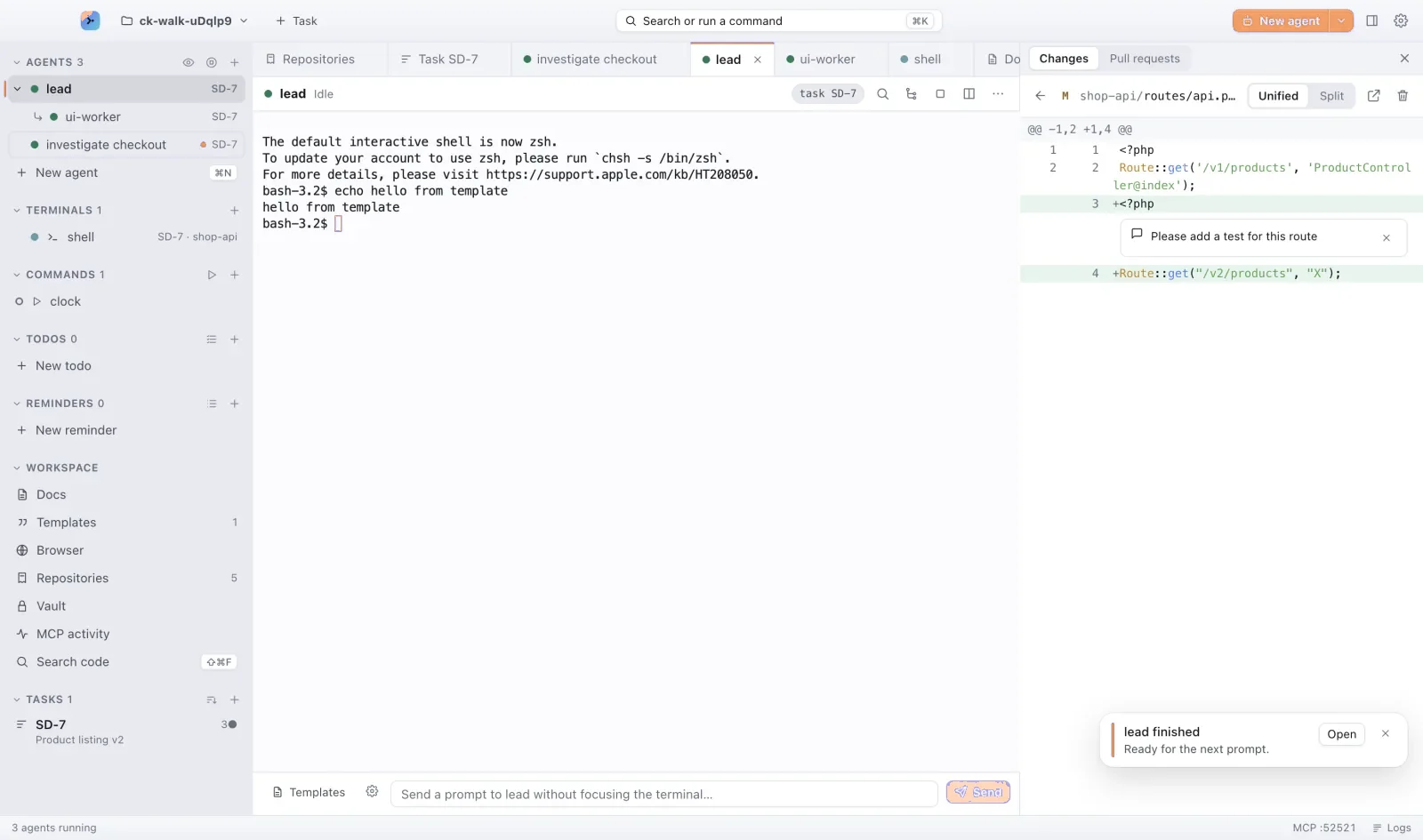
The Changes panel and the review window show every change an agent made. Comment on a line or a range, and the note goes straight back to the agent that wrote it.
- Diffs per repo, per task
- Comment on a range of lines, or ask the agent about several at once
- Open any change in VS Code, Cursor, Zed or a JetBrains IDE, on the changed line
- Commit and open the pull request without leaving the app
06 · Ship
GitHub reviews, sorted for you
Every pull request waiting on you, across all your repos, with one status each: Ready, Blocked, Changes requested or Waiting on you, and the reason next to it. Beta.
- Checks, reviewers and their verdicts at a glance; behind base and conflicts called out
- Filter, sort, and flag pull requests open too long
- Approve, or hand a review or a fix to an agent in its own tab
- Pull requests grouped by ticket, next to the task they belong to
07 · Preview
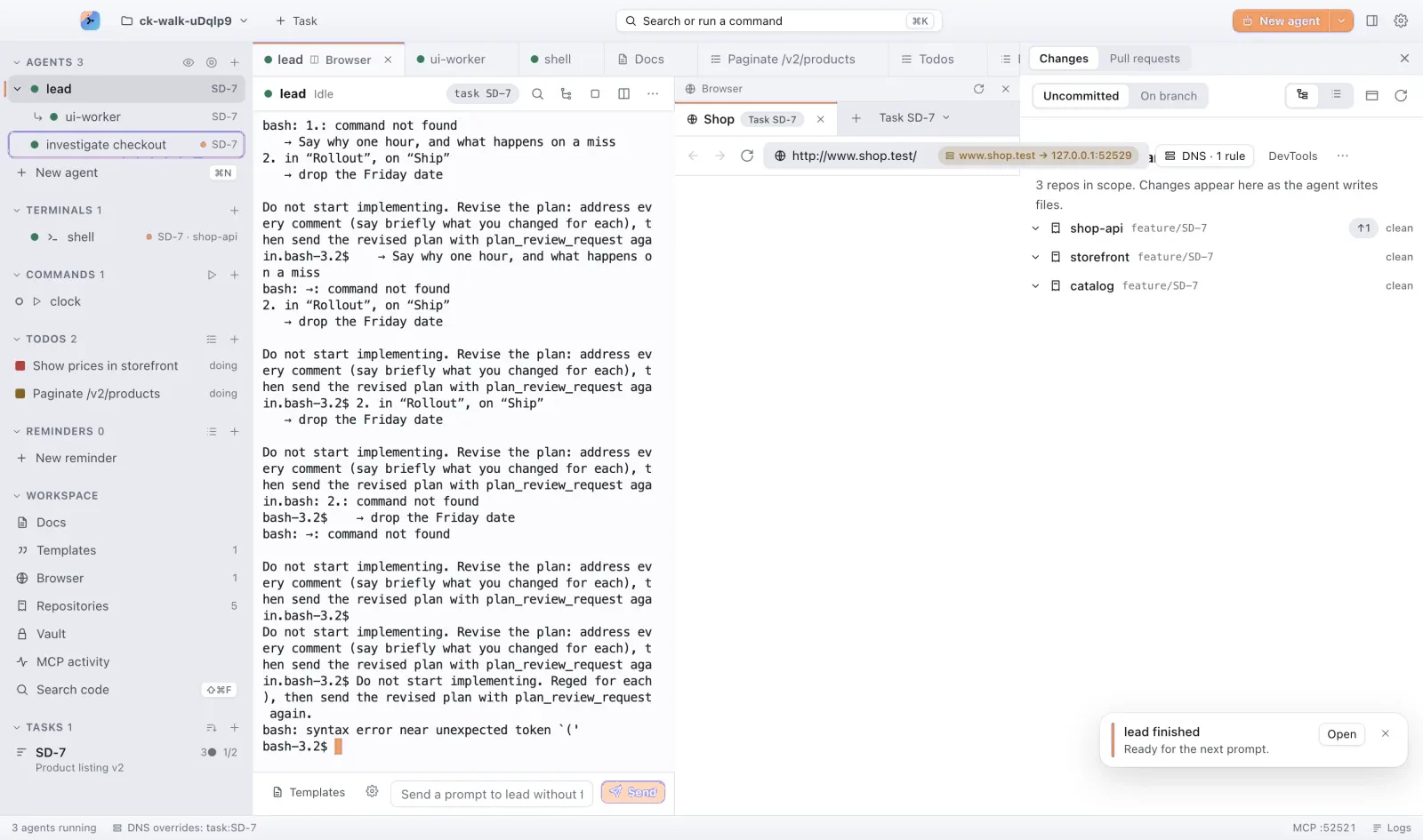
A browser in the lane
Long-running commands like your dev server live beside the task. Open the build in the built-in browser, right next to the terminal that produced it.
- Dev servers and watchers as named commands
- Preview on a real hostname, per task
- Spot the regression before the agent says it’s done
08 · Protect
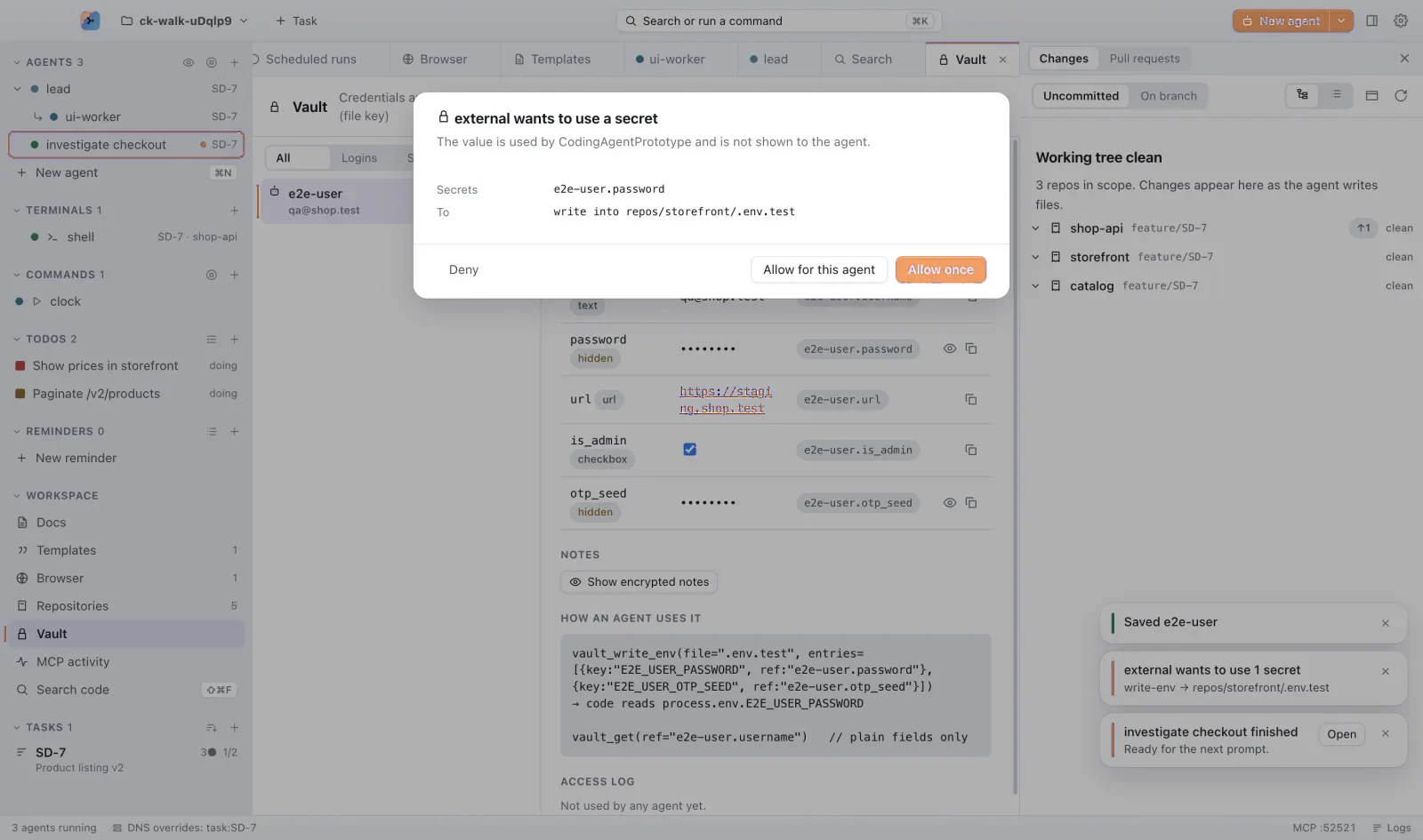
Secrets on approval
API keys and tokens live in ORRERION’s vault. An agent asks for a secret by name, and it is released only after you say yes. Values are never printed into a terminal.
- Every request needs your approval
- A permission level per agent, and running agents hear when you change it
- Settings shared through git run nothing until you trust them
- An activity log of what was asked, and when
09 · Plan
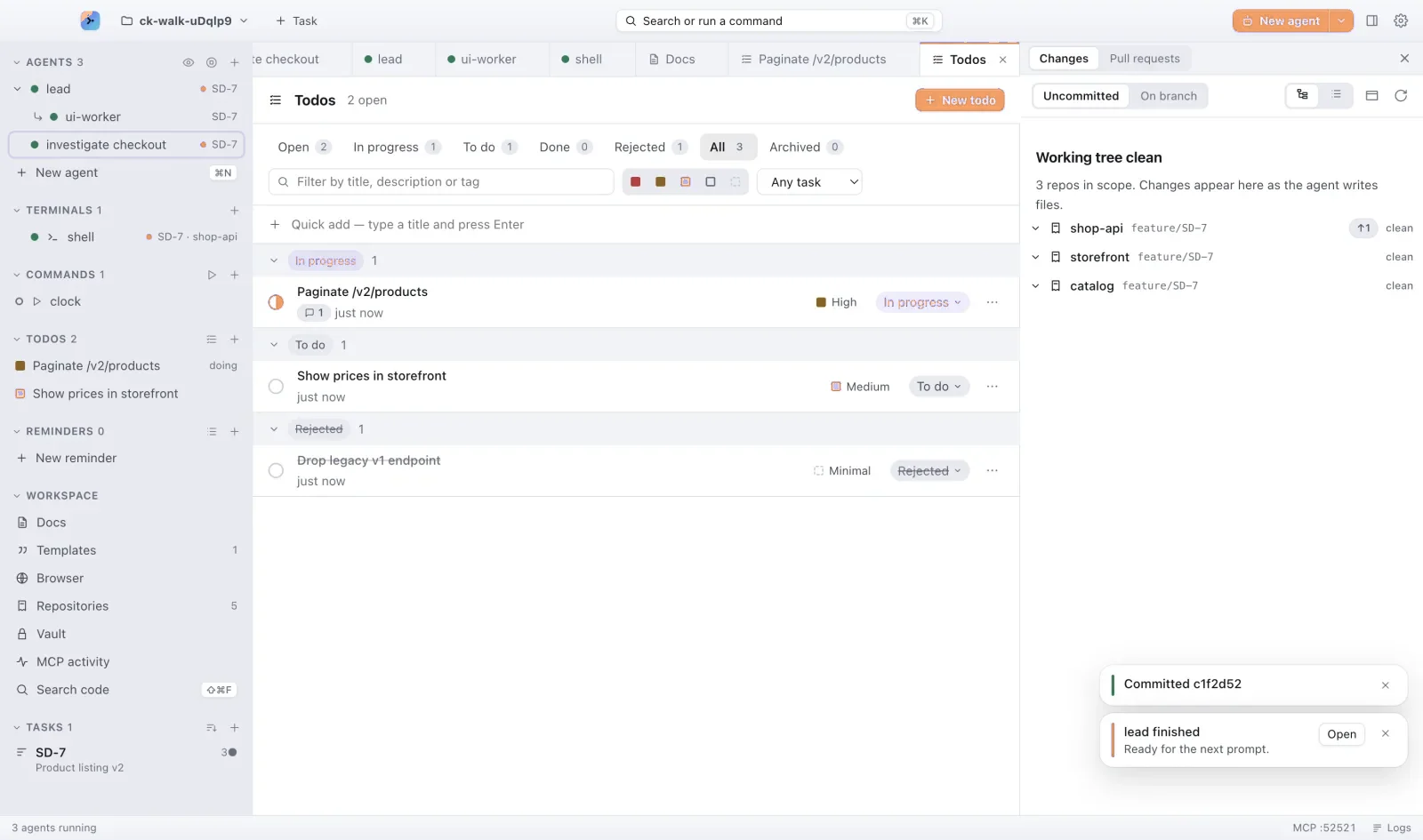
Todos beside the code
Follow-ups stay with the task that created them. Agents can add todos as they work, and you can turn any todo into the next agent’s prompt.
- Todos and reminders per task
- Review an agent’s plan and comment on it before it writes code
- Scheduled runs that start an agent on their own
10 · Move
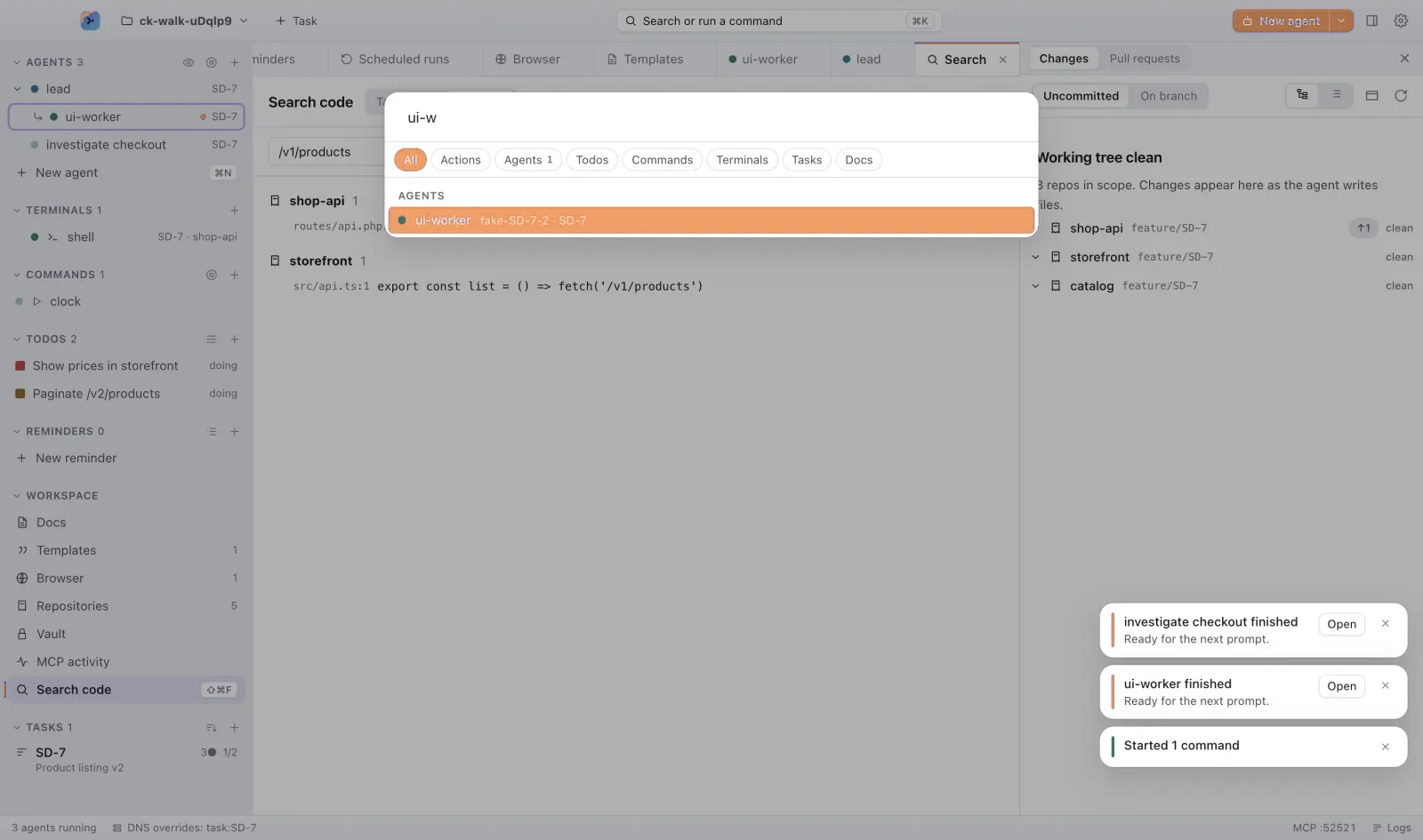
Everything behind ⌘K
Agents, tasks, todos, terminals, docs and every action, a few keystrokes away. Prefixes narrow the search: @ for agents, # for tasks, ! for todos, > for actions.
- One palette for the whole workspace
- Tap ⌘ twice to see every keyboard shortcut
- Copy a link to any tab and share it
And the details
-
Copy buttons
Copy any code block or quote from an agent’s answer, in the terminal, with ⇧⌘C or from the Copy panel.
-
Your editor
Open files in VS Code, Cursor, Windsurf, Zed, Sublime Text, a JetBrains IDE or any app.
-
Search across repos
Find code in every repository of the workspace with ⇧⌘F.
-
Resume sessions
Pick up an earlier conversation, even from an agent you deleted, under its own name.
-
Prompt templates
Save the instructions you give every week and reuse them.
-
Scheduled runs
Have an agent start on its own, tonight or every Monday.
-
MCP server
Let one agent orchestrate others, add todos and read docs.
-
Workspace docs
A library of notes next to the repos, saved as you type, that agents read and edit live.
-
Pull requests
See open pull requests for every repo in the task.
-
Light and dark
Two themes, with terminal colours that stay readable in both.
-
What’s new
Each update tells you what changed. Pick the Stable or Beta channel.
-
Logs and activity
Every MCP call and vault request, written down.
Local by design
A closed system, on your Mac
- Your code stays on your Mac
- Repositories, terminals and agent sessions run locally. Your code is never uploaded.
- Your agents, your accounts
- Agents sign in with your own Claude, OpenAI or other accounts. Nothing sits between you and your model provider.
- Secrets need a yes
- Credentials leave the vault only when you approve, and never land in a terminal.
- Only the license check
- The app checks your license at launch and once a day: the key, a device ID and your Mac’s name. Privacy policy
Give every agent its own orbit
For macOS 13 and later, on Apple Silicon and Intel.